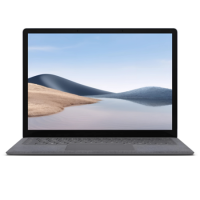



Excellent cosmetic condition - looks like new and saves you money.


Save money
Enjoy significant savings without compromising on quality.

Reduce waste
Reduce electronic waste and lower your carbon footprint.

Extensively Tested
Every refurbished device is rigorously tested and repaired by certified technicians.

Warranty included
This device is protected with a warranty covering both parts and labour.
GRADE A1
Get it done with more multitasking power and up to 70% more speed than before, longer battery life, and sleek, ultrathin design in a lightweight business laptop. Powered by your choice of 11th Gen Intel Core or AMD Ryzen processors, this laptop delivers exceptional performance, whether you’re multitasking with demanding applications or streaming your favourite shows. Surface Laptop 4 ensures quick load times and ample space for your files and programs.
720 HD camera
Look your best in Microsoft Teams video calls with a camera that works great in tough lighting conditions.
Removable SSD
Maintain control of your sensitive information with removable SSD.
Do it all with style, speed, and performance
Run the apps you depend on with improved performance, and more speed and multitasking power than before. Cut the background noise and get down to business in calls – look your best on video and be heard clearly.
Designed to get it done
Reliable and ready to get to work – you and Surface Laptop 4 have a lot in common. Type decisively and accurately with responsive, backlit keys. Fuel up fast with Fast Charging. And connect all your peripherals, whether you need USB-C for charging or data or to extend your display to dual 4K monitors with Surface Dock 2.
Work your way in style
Choose the size that works for you, and from two durable keyboard finishes: warm Alcantara® material or cool metal.
Surface for Business unlocks more value
Surface customers save time and money with streamlined deployment, modern device management, and built-in, cloud-powered security. Empower people, data, and systems with connected experiences from Surface and Microsoft 365.
Performance for multitasking, video chats, and entertainment
Breeze through busy days with more multitasking power and more speed, look and sound your best on video calls, and enjoy immersive Dolby Atmos audio for movies, all backed by serious processing power.
Vibrant touchscreen
When inspiration strikes, capture your ideas on the hi-res PixelSense touchscreen display.
The perfect way to view everything
Surface signature 3:2 aspect ratio means that you're viewing docs, websites perfectly scaled, on an optimized display with more vertical screen real estate.
Multitask with ease
Perfect for productivity and favourite pastimes, from creative apps to casual gaming and movies.
Cinematic sound
Take your entertainment to different heights when you stream favourite shows and movies in Dolby Atmos. Immerse yourself in breath-taking, cinematic sound that surrounds you.
Crisp, clear video calls
Show your best side, even in low light, thanks to the front-facing, high-definition camera. Dual far-field Studio Mics capture your voice and reduce background noise.
Comfort, convenience, and all the connections
Power your creativity anywhere thanks to all-day battery life, Fast Charging, and exceptional typing comfort. Connect easily with both USB-Type-C and USB 3.0 ports.