











Gaming monitor buying guide
Choose the right gaming monitor
This guide explains how to match screen size, resolution, refresh rate, panel type and connections to the games you play. It covers PC and console setups, so you can compare the features that matter to your desk.
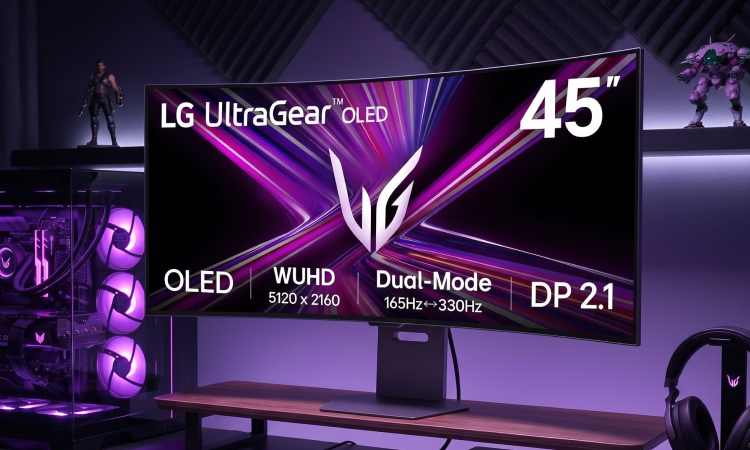
Start with the games you want to play
Think about the games you play most, then decide whether movement, picture detail or immersion matters most to you.
Competitive and fast games
First-person shooters, fighting games, racing and other quick games benefit from clear movement and responsive controls. You may prefer speed over maximum resolution.
- Look for 144Hz or faster when your PC can deliver the frames
- Choose a response-time specification that supports fast movement
- Check VRR support and the DisplayPort or HDMI connection you will use
Story, racing and simulation
Open-world, strategy, racing and simulation games can make better use of extra picture detail, a larger screen or a wider aspect ratio.
- Compare QHD or 4K with your graphics card and target frame rate
- Consider a 27-inch, 32-inch or ultrawide screen for more space
- Check HDR, contrast, panel type and viewing position before you buy
Console and mixed use
For a console or a setup shared between gaming, streaming and everyday work, start with the output your main device supports.
- Check the console's supported resolution, refresh rate and VRR features
- Look for the right HDMI version and enough inputs for your devices
- Consider USB ports, speakers, height adjustment and a comfortable size
The main gaming monitor features
These features work together. Understanding their jobs makes it easier to compare a complete display rather than one headline specification.
Compare resolution and refresh rate
Resolution affects picture detail, while refresh rate affects how often the image updates. Choose them together with the output your PC or console can provide.
A quick resolution comparison
Use the table to choose a starting point. The right option depends on your games, hardware, viewing distance and preferred balance of detail and speed.
| Resolution | What it may suit | Check before you buy |
|---|---|---|
| FHD, 1920 x 1080 | Competitive and everyday gaming where high frame rates matter | Screen size, refresh rate, response time and graphics output |
| QHD, 2560 x 1440 | Detailed PC gaming on a 27-inch or larger screen | Graphics card, target refresh rate, VRR and connection |
| 4K UHD, 3840 x 2160 | Cinematic games, detailed worlds and compatible consoles | Graphics hardware, HDMI 2.1 for 4K 120Hz where needed |
| Ultrawide | Racing, simulation, strategy and supported games needing more width | Aspect-ratio support, desk width, viewing distance and graphics demand |
Choose the right screen type
There is no single panel or screen shape for every gamer. Think about the games you play, the room, the rest of your setup and how much contrast or colour matters to you.
Fast and flexible
IPS panels
IPS displays are widely chosen for gaming because they can offer strong viewing angles and colour consistency. Compare the exact contrast, response and refresh specifications.
Strong contrast
VA panels
VA displays can offer deeper contrast, which can suit darker story games and films. Check the quoted response time and viewing angles for fast games.
High contrast and speed
OLED panels
OLED monitors can offer very high contrast and fast pixel response. Check brightness, care guidance, warranty terms and the way you plan to use the screen.
Flat screens are straightforward for most desks and multi-monitor setups. Curved and ultrawide screens can add immersion for racing and simulation, but measure your desk and check game support before choosing one.
Match the monitor to your setup
Use these routes to narrow your search. They are starting points, so check the exact specification for your games, device, desk and accessories.
01 / Competitive
Prioritise clear movement
For fast games where seeing movement quickly matters, start with refresh rate, response time and VRR.
- Look for
- 144Hz or faster, a low quoted response time and a suitable panel
- Also check
- Your PC's frame rate, VRR support and DisplayPort or HDMI output
- We recommend
- 144Hz and 240Hz refresh rates
View 144Hz gaming monitors
02 / Immersive
Balance detail and size
For story-led, racing and simulation games, compare resolution, screen size, contrast and aspect ratio.
- Look for
- QHD or 4K, 27-inch or larger, with curved or ultrawide options
- Also check
- Graphics output, desk width, viewing distance and HDR support
- We recommend
- QHD, 4K, curved and ultrawide
View 4K gaming monitors
03 / Console
Check the console connection
Choose the resolution and refresh rate your console can use, then check HDMI, VRR and low-latency features.
- Look for
- 4K 120Hz for compatible PS5 or Xbox Series X setups
- Also check
- HDMI 2.1, VRR, ALLM where supported and the included cable
- We recommend
- Console gaming monitors
View console gaming monitors
Other features to check
These details affect picture quality, comfort, compatibility and how easily the monitor fits into your space.
Screen size
Measure diagonally. A larger screen can add immersion, while a smaller screen may suit a closer competitive setup.
HDR
HDR can expand contrast and brightness in supported content. Check the actual HDR specification rather than relying on the label alone.
VRR and sync
Check whether the monitor's Adaptive-Sync, FreeSync or G-Sync support matches your graphics hardware or console.
HDMI and DisplayPort
Check each input's version and maximum resolution and refresh rate. The cable and source device also affect the result.
USB and audio
USB ports can add useful desk connectivity. Check for a headphone output or built-in speakers if you need monitor audio.
Stand and mounting
Check height, tilt, swivel, pivot and VESA support. Make sure the stand or arm suits the desk and screen weight.
Comfort features
Look for brightness control, a suitable viewing mode and a position that lets you sit comfortably for longer sessions.
Desk space
Measure the screen, stand and cable space before you buy. Curved and ultrawide models can need more room than expected.
Shop by what you need
Choose a route, then compare the complete specification on each product page.
A simple gaming monitor checklist
Use this list while you compare monitors. Confirm the details on the product page before you buy.
0 of 8 checked
Gaming monitor questions, answered
Which refresh rate should I choose for gaming?
There is no single right refresh rate. 144Hz is a useful starting point for many PC gamers, while 240Hz can suit competitive players whose hardware can deliver very high frame rates. For consoles, check the output supported by your model and games.
Is QHD better than 4K for gaming?
QHD shows less detail than 4K but generally asks less from the graphics hardware. It can be a practical choice for PC gaming at a higher refresh rate. Choose 4K when your device, games and preferred screen size make the extra detail worthwhile.
What size monitor is good for gaming?
24-inch screens can suit close competitive setups, while 27-inch screens give you more space without taking over every desk. Larger, curved and ultrawide monitors can suit immersive games if you have the room and sit at a suitable distance.
Do I need HDMI 2.1 for console gaming?
Check the console and the output you want. PS5 supports HDMI 2.1 and 4K 120Hz output, while Xbox Series X supports 4K and up to 120 FPS when the content and display support it. Xbox Series S is designed for 1440p and up to 120 FPS. Check the monitor, cable and game requirements together.
What is VRR on a gaming monitor?
Variable refresh rate allows a compatible monitor to adjust its refresh timing to the changing frame rate from a PC or console. This can help reduce tearing and stutter. Check that the monitor and source use compatible VRR features.
Is OLED worth it for gaming?
OLED can offer very high contrast and fast pixel response, which can suit cinematic and fast games. Compare brightness, care guidance, warranty terms and your mix of games, browsing and static desktop use before choosing one.
Should I choose a curved or flat monitor?
Flat screens are straightforward for most desks and multi-monitor setups. Curved screens can add immersion, especially at larger sizes or in ultrawide formats. Measure your desk and check whether your games support the aspect ratio.
What should I check on a refurbished gaming monitor?
Check the listing for the exact resolution, refresh rate, inputs, panel type, condition, included stand or cables and the terms that apply to that product. Compare it with new options using the same specification.
Place the monitor at a comfortable height, reduce glare where possible and keep cables clear of moving parts. Follow the manufacturer's guidance for mounting, cleaning and safe operation.
Ready to compare gaming monitors
Use the category filters to compare size, resolution, refresh rate, panel type and other specifications. Then check the complete product details for your games and device.
Next step: Compare the gaming monitor range, then check your gaming PC, console setup and gaming accessories.