











Gaming PC buying guide
Choose the right gaming PC
This guide explains what to look for in a gaming PC, from the graphics card and processor to memory, storage, power and cooling. You do not need to know every technical term to compare your options.
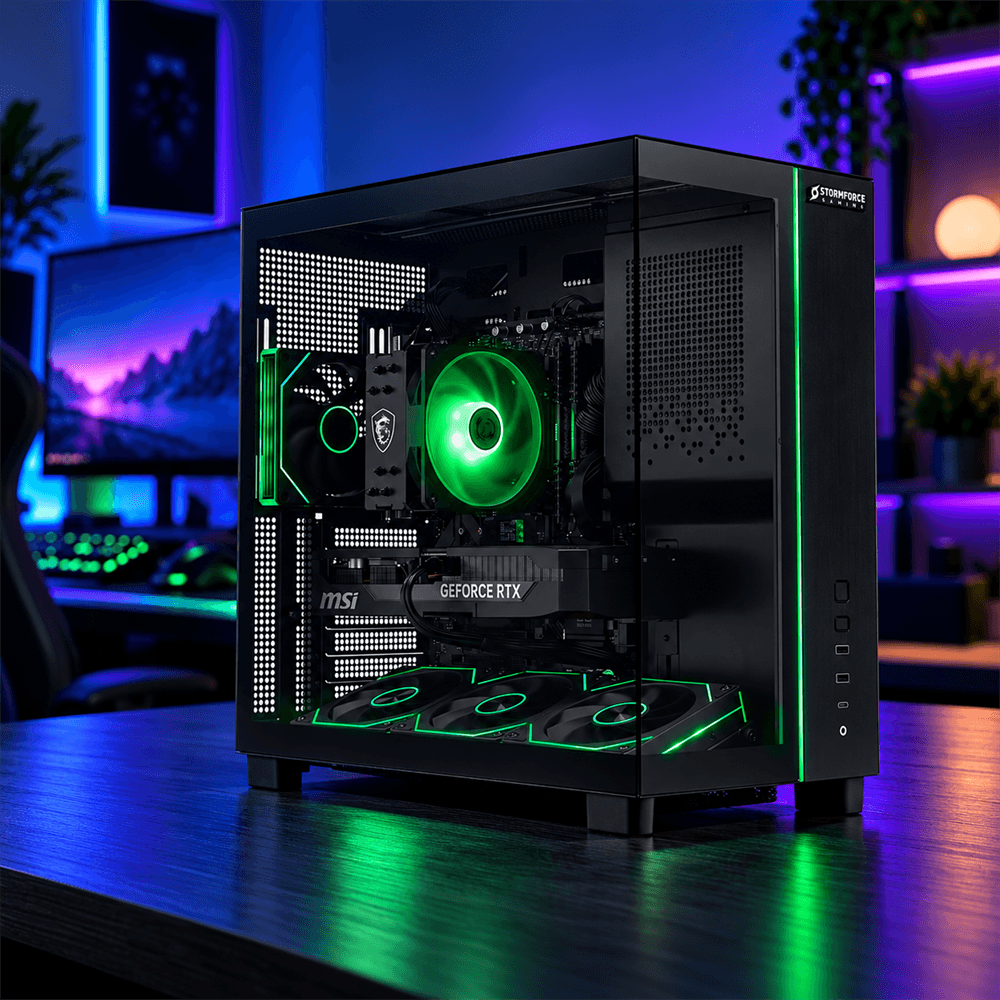
Start with the games you want to play
Think about the games, picture quality and speed you want. Then use the options below to find a sensible starting point.
Everyday and competitive play
If you are new to PC gaming or play fast-moving games, start with the games you play most and the monitor you plan to use.
- Compare the beginner gaming PC route for a simpler starting point
- Look at RTX 5050 or RTX 5060 options for a dedicated graphics card starting point
- Check the monitor refresh rate, network connection and ports for your accessories
AAA and 1440p gaming
Detailed games and higher resolutions ask more from the graphics card. 1440p, also called QHD, shows more detail than 1080p.
- Compare RTX 5060 Ti, RTX 5070 and RTX 5070 Ti options
- Match the graphics card to the monitor resolution and refresh rate
- Check the power supply, cooling and graphics memory on the exact PC
Stream, create and use AI
If the PC will also handle streaming, video editing or AI tools, allow more room for memory, storage and processing power.
- Consider 32GB RAM or more for streaming, creative work or several apps at once
- Look for a higher-level processor and a graphics card supported by your software
- Check the software requirements before choosing AI features or video tools
The main parts of a gaming PC
These parts work together. Understanding their jobs makes it easier to compare a complete PC rather than one headline specification.
Compare graphics card options
The graphics card, or GPU, is usually the first specification to compare for gaming. Treat the names below as starting points, then check the exact PC.
A quick graphics card comparison
Use the table to choose a starting point. Game settings, the monitor and the rest of the PC all affect the result.
| Graphics card | What it may suit | Check before you buy |
|---|---|---|
| RTX 5050 and RTX 5060 | 1080p, competitive and everyday gaming | Graphics memory, power supply, screen refresh rate and game requirements |
| RTX 5060 Ti and RTX 5070 | Higher settings and 1440p gaming | Processor, cooling, power supply and monitor resolution |
| RTX 5070 Ti and RTX 5080 | Demanding games, higher settings and creative work | Graphics memory, case space, power and software support |
| RTX 5090 | High-resolution gaming and demanding creative or AI work | Complete power, cooling, case and monitor specification |
Compare processor options
The processor, or CPU, handles game instructions and other tasks. Choose it alongside the graphics card rather than treating it as a separate decision.
Starting point
Intel Core 5 or Core i5, and AMD Ryzen 5
These are common starting points for gaming and everyday use. Check the exact generation, model, cores, threads and graphics card.
More headroom
Intel Core 7 or Core i7, and AMD Ryzen 7
Consider these for heavier gaming, fast refresh rates, streaming and several apps at once. The complete PC still matters.
High-end work
Intel Core 9 or Core Ultra 9, and AMD Ryzen 9
These processor levels can suit demanding games, creative work and AI tools. Check that the software and other components can use the extra capability.
Two processors with a similar name can have different generations, core counts, power limits and cooling needs. Check the full product specification before comparing PCs.
Match the PC to your setup
Use these routes to narrow your search. They are starting points, so check the specification for the games, monitor and other tasks you have in mind.
01 / Beginner
Start with a ready-made PC
Suitable for someone moving into PC gaming who wants the main parts selected together.
- Look for
- A dedicated graphics card, 16GB RAM and an SSD where possible
- Also check
- The monitor, keyboard, mouse and whether a bundle is included
- Route
- Beginner gaming PCs
02 / Intermediate
Balance speed and value
A practical route for stronger 1080p or 1440p gaming, depending on the full specification.
- Look for
- RTX 5060, RTX 5060 Ti or RTX 5070 options
- Also check
- Processor balance, 16GB or 32GB RAM, storage and cooling
- Route
- Intermediate gaming PCs
03 / Pro
Choose a higher-spec setup
For demanding games, high resolutions, streaming or creative workloads that need more headroom.
- Look for
- Higher-level graphics, processor, memory and storage
- Also check
- Power supply, cooling, case space and the monitor you plan to use
- Route
- Pro gaming PCs
Other features to check
These details affect game loading, system stability, upgrades and how easily the PC fits into your space.
Memory
16GB is a useful starting point. Consider 32GB for streaming, creative work or several demanding apps.
Storage
500GB can suit a smaller library. 1TB gives more room for Windows, games and applications. Check whether more storage can be added.
Monitor
Match resolution and refresh rate to the graphics card. A 144Hz monitor can suit fast games when the PC can deliver the frames.
Power supply
Check the wattage and connectors recommended for the graphics card. Leave enough capacity for the complete system.
Cooling
Check the fan layout, radiator if fitted and clear airflow around the case. Follow the manufacturer's setup guidance.
Upgrade path
Check spare RAM slots, storage bays, motherboard connections and room for a larger graphics card.
Ports and network
Check USB, audio, Ethernet, Wi-Fi and display outputs for your monitor and accessories.
Case and design
Check the case size, side panel, lighting and noise preferences, as well as the space available under or beside the desk.
Shop by what you need
Choose a route, then compare the complete specification on each product page.
A simple gaming PC checklist
Use this list while you compare PCs. Confirm the details on the product page before you buy.
0 of 8 checked
Gaming PC questions, answered
What makes a PC a gaming PC?
A gaming PC is built around components that can handle game graphics and real-time instructions, usually including a dedicated graphics card, a capable processor, enough RAM and fast storage. Always check the full specification.
Is the graphics card more important than the processor?
For many graphically demanding games, the graphics card has the larger effect on picture detail and resolution. The processor still matters for simulation games, high refresh rates, streaming and multitasking, so the two should be balanced.
Is 16GB RAM enough for a gaming PC?
16GB is a useful starting point for gaming. Consider 32GB if the PC will also handle streaming, creative software, AI tools or several demanding apps. Check the exact game and software requirements.
How much SSD storage do I need?
500GB can suit a smaller selection of games, while 1TB gives you more room for Windows, games and applications. Choose more storage for a large library, and check whether the PC has space for another drive.
Do I need a 4K gaming PC?
Not necessarily. 1080p and 1440p can suit many gaming setups. If you want 4K, choose a graphics card and monitor designed for that resolution, then check the game's requirements and settings.
Should I buy a pre-built PC or use a PC builder?
A pre-built PC is a straightforward route because the main parts are selected together. A PC builder can help you explore a more tailored specification. In both cases, check the complete parts list before you buy.
Can I upgrade a gaming PC later?
Often, but the available upgrades depend on the motherboard, case, power supply, cooling and the parts already fitted. Check spare RAM and storage connections, graphics card clearance and the power requirements.
What should I check on a refurbished gaming PC?
Check the listing for the exact specification, condition, included components and the terms that apply to that product. Compare it with new options using the same graphics card, processor, RAM and storage details.
Leave space around the case vents and avoid placing the PC inside a tightly enclosed cabinet. Follow the manufacturer's guidance for cleaning, cables and safe operation.
Ready to compare gaming PCs
Use the category filters to compare graphics card, processor, RAM, storage and other specifications. Then check the complete product details for your games and setup.
Next step: Compare the gaming PC range, then pair your choice with a suitable gaming monitor and gaming accessories.