Appliances Direct
Laptops Direct
Drones Direct
Better Bathrooms
Furniture 123
Dehumidifiers
Outdoor Living
Aircon
Buying for Business?

Get sales advice from our team 7 days a week

0871 244 0934

Monitor Accessories

Make more of your screen setup with monitor accessories. Find practical mounts, cables, adapters and brackets in our range. Whether you want to free up desk space, connect a new display or tidy loose cables, there’s kit here to help. Choose from adjustable monitor arms, HDMI and DisplayPort cables, VESA mounts and other useful additions for work, gaming or everyday use.

Sort by

Refine your results

Items per page

1 - 24 of 36 products
  • Heavy-duty support: Holds single screens from 17" to 49" and 20kg
  • Built-in USB ports: Handy USB-A and C ports for fast charging
  • Spring-assisted: Effortless height adjustment for better posture
  • Fully adjustable: Tilt and swivel to find your best viewing angle
€59.97
Refurbished from €54.97 » View product
  • Supported Screen Size: 17 to 49"
  • Weight Capacity (Per Screen): 20kg
  • Adjustable swivel and tilt: Position your monitors for comfortable viewing
  • RGB Lighting strip: Customisable ambient lighting to enhance your atmosphere
  • Cable management keeps cables organised, tidy and out of sight
€74.97
View product
  • Supported Screen Size: 17 to 32"
  • Weight Capacity (Per Screen): 9kg
  • Adjustable swivel and tilt: Position your monitors for comfortable viewing
  • RGB base: Adds vibrant, customisable colour to complete your setup
  • Cable management keeps cables organised, tidy and out of sight
€26.97
View product
  • Supported Screen Size: 17 to 35"
  • Weight Capacity (Per Screen): 20kg
  • Adjustable swivel and tilt: Position your monitors for comfortable viewing
  • RGB Lighting strip: Customisable ambient lighting to enhance your gaming setup and atmosphere
  • Cable management keeps cables organised, tidy and out of sight
€79.97
View product
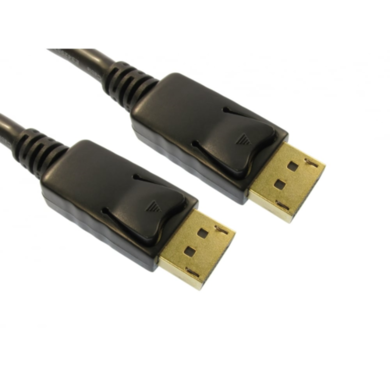
  • Interface: DisplayPort
  • Usage Type: DisplayPort
  • Length: 2M
  • Quantity: 1
€12.97
View product

electriQ Dual Monitor Arm

SKU: OEM-DUALARM

  • Supported Screen Size: 17 to 32"
  • Weight Capacity (Per Screen): 9kg
  • Adjustable Swivel/Tilt 
  • Built in Cable Management  
€38.97
View product
  • Interface: DisplayPort / HDMI
  • Usage Type: DisplayPort to HDMI
  • Length: 2M
  • Quantity: 1
€13.97
View product
  • Ergonomic Design: Reduces neck and eye strain while working
  • Dual 17"-32" Support: Securely holds two screens up to 9kg each
  • Fully Adjustable: Tilt and swivel for your perfect viewing angle
  • 360° Rotation: Easily switch between landscape and portrait
  • Freestanding Base: Place securely anywhere on your desk
SAVE 8%
SAVE €3
€32.97
View product
  • VESA plate : Enables easy installation and compatibility with VESA mounting
  • Weight Capacity (Per Screen): 9kg
  • Supported Screen Size: 17 to 32"
  • Adjustable swivel and tilt: Position your monitors for comfortable viewing
  • Cable management keeps cables organised, tidy and out of sight
€32.97
View product
  • Interface: HDMI
  • Length: 2M
  • Quantity: 1
€27.97
View product
  • Dual 45" Support: Securely hold two large ultrawide screens
  • Integrated USB Ports: Handy USB-A and USB-C for fast charging
  • Full Motion Adjust: Easily tilt, swivel and rotate 360 degrees
  • Improved Ergonomics: Find the optimal height to reduce neck strain
  • Frees Up Space: Reclaim valuable desk area for a tidy workstation
€79.97
View product
  • 17-32" Screen Fit: Ideal for most standard and large monitors
  • Fully Adjustable: Tilt and swivel for an ergonomic viewing angle
  • 360° Rotation: Easily switch between portrait and landscape modes
  • Freestanding Base: Stable support without needing to drill a desk
  • 9kg Weight Capacity: Sturdy steel build supports heavy displays
SAVE 24%
SAVE €4
€13.97
View product
  • Length: 0.5M
  • Quantity: 1
€8.97
View product
  • Supports two monitors up to 30"
  • 180° Pan
  • 90° Rotation
  • -85° to 15° Tilt
  • Recommended Display Size: Up to 30
€54.97
View product
  • Interface: HDMI / VGA
  • Length: 1.8M
  • Quantity: 1
€7.97
View product
  • Mounts your mini PC under the desk or to a pole for a cleaner setup
  • Heavy-duty steel build keeps your device safe and stable
  • Adjustable fit: Customise the width to suit most small form factor PCs
  • Lifting your PC off the ground helps reduce dust and overheating
  • VESA plate : Enables easy installation and compatibility with VESA mounting
€19.97
View product

electriQ Single Monitor Arm

SKU: OEM-SINGLEARM

  • Flexible viewing modes: Switch between portrait and landscape orientations
  • Supported Screen Size: 17 to 32"
  • Weight Capacity (Per Screen): 9kg
  • Adjustable swivel and tilt: Position your monitors for comfortable viewing
  • Cable management keeps cables organised, tidy and out of sight
€19.97
View product
Excellent Condition

€17.97
View product
  • Interface: HDMI
  • Length: 10M
  • Quantity: 1
€33.97
View product
  • Interface: USB-C
  • Usage Type: USB-C to DP
  • Length: 2M
  • Quantity: 1
€64.97
View product
  • Interface: HDMI / DVI
  • Usage Type: HDMI to DVI-D
  • Length: 2M
€4.97
View product
  • Length: 15cm
  • Quantity: 1
€25.97
View product
  • Interface: HDMI / VGA
  • Usage Type: HDMI to VGA
  • Length: 1M
  • Quantity: 1
€13.97
View product
  • Length: 7M
  • Quantity: 1
€22.97
View product

Sort by

Items per page

1 - 24 of 36 products

Build a cleaner desk with monitor accessories

A good setup isn’t just about the screen but also the monitor accessories. Monitor arms can lift displays off the desk, free up working space and make it easier to adjust height, tilt and viewing angle.

Some models support one screen, while others hold two displays from one stand or clamp. Look at the supported screen size, maximum weight and mounting method before buying. Cable management built into some arms can also keep wires tucked away rather than trailing across the desk.

Get the right connection for your screen

HDMI and DisplayPort cables carry video from your PC, laptop or games console to your display, while adapters can help connect devices with different ports. Check both devices before choosing a cable, as the connection type can affect the resolution and refresh rate available.

This matters when choosing gaming monitor accessories for high-resolution or high-refresh-rate displays. Cable length matters too, so measure your setup before ordering rather than leaving excess cable behind the desk.

Check mounting fit before you buy

If you're adding an arm or wall bracket, check whether your display supports VESA mounting. Common patterns include 75 x 75mm and 100 x 100mm, though this varies by model.

You should also check the weight of the screen without its stand and compare it with the mount's stated limit. For desk-mounted arms, make sure the desktop is strong enough for the clamp or grommet fitting and leave enough space for cables to move when you adjust the screen.

Frequently Asked Questions

That depends on what comes in the box and how you plan to use the screen. You may need an HDMI or DisplayPort cable, an adapter for an older device, or a monitor arm if you want more desk space. Some monitors already include display cables, so check the product details before adding extras.
Both can work well. The key is whether the cable and ports support the resolution and refresh rate you want to use. Some high-refresh-rate monitors offer different limits through HDMI and DisplayPort, so check the specifications of your screen, PC or console before buying a cable.
Yes, some arms use a clamp that grips the edge of a suitable desk, so drilling isn't needed. Other models use a grommet fitting through the desktop. Check the fitting type and your desk material first, especially with thin, hollow or delicate surfaces.
Route display and power cables along the arm where possible, using built-in channels, clips or reusable ties. Leave a little slack near the screen so the cables aren't pulled when you tilt or move it. Keeping permanent display cables together can also make the setup easier to manage.
You need a cable and connection standard that can handle your chosen resolution and refresh rate. An older cable may limit what the display can receive, even if the screen itself supports a higher setting. Check the monitor and device specifications before buying.
In many cases, yes. Cables and adapters can help with new devices or ports, while a compatible arm can replace the original stand. If you're upgrading the whole setup instead, browse our range of monitors and check connection types and VESA support before choosing your extras.

Recently viewed


Back to top