





















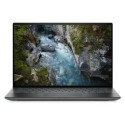

Excellent cosmetic condition - looks like new and saves you money.


Save money
Enjoy significant savings without compromising on quality.

Reduce waste
Reduce electronic waste and lower your carbon footprint.

Extensively Tested
Every refurbished device is rigorously tested and repaired by certified technicians.

Warranty included
This device is protected with a warranty covering both parts and labour.
For Faster Processing & Performance
Optimized for a higher performance, the Lenovo ThinkBook 14 2-in-1 Gen 4 laptop boasts exceptional AI capabilities. It is equipped with robust Intel® Core™ Ultra processors and combines the power of neural processing to expedite AI tasks. Whether writing code or making presentations — you can take full advantage of accelerated AI to improve your productivity.
Comfortable, Convenient & Always at Hand
Enjoy the versatility of a convertible laptop with the ThinkBook 14 2-in-1 Gen 4, which boasts the addition of the Lenovo Slim Pen. Magnetically attach it to the side of the keyboard and keep it conveniently within reach at your fingertips. Whether using it as a laptop or a tablet, get easy control for tasks like sketching, note-taking, navigation, or even signing a document with a bigger and more comfortable stylus.
See & Feel the Extraordinary
The hidden hinge design of the ThinkBook 14 2-in-1 Gen 4 laptop offers an immersive audio-visual experience. With ultra-narrow bezels and enlarged screen real estate, this convertible laptop shows its charm, and is ideal for work, school, and media. This multiuse laptop boasts several intelligent meeting features like auto-framing, noise cancellation, blur background, and more. Plus, it offers smart network connectivity, consistent audio supported by Dolby Atmos®, and exudes a classy appearance in Luna Grey.
Keystrokes — More Enjoyable & Convenient
The ThinkBook 14 2-in-1 Gen 4 laptop boasts a revamped keyboard design with keys more comfortable to the touch. A spacious key layout ensures faster and more accurate typing, while also being highly resilient against dirt and spills. We’ve also added LED indicators on the microphone and speaker keys so it’s easy to see when they’re in use. But the best part? We’ve used 50% recycled post-consumer content (PCC) plastics in the keycaps and 50% recycled metal on the bottom cover — so you can feel good on multiple levels.
Become Flexibly Secure
Alongside security, the ThinkBook 14 2-in-1 Gen 4 laptop offers login flexibility to safeguard data with your fingerprint or your face. The power button embeds an optional match-on-chip fingerprint reader that stores immutable credentials on a chip, while letting you safely log in and boot up in mere seconds. ThinkShield, our integrated suite of security offerings, encrypts data with discrete Trusted Platform Module (dTPM). Plus, with Windows facial recognition and the optional infrared (IR) camera, the system will instantly resume from hibernate or standby mode.
Designed to be Future-Proof
The ThinkBook 14 Gen 4 convertible laptop is an ideal choice for small-to-mid-sized businesses handling enterprise-level tasks. It offers ample responsive memory for multitasking and tackles demanding workloads with heavy data records. With its dual memory and storage slots, this versatile 2-in-1 laptop is engineered to adapt to changing future demands — you can easily upgrade your specs as your business grows, even without tech expertise. Simply remove the bottom cover for easy access to the upgradeable slots.



