



















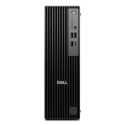


Excellent cosmetic condition - looks like new and saves you money.


Save money
Enjoy significant savings without compromising on quality.

Reduce waste
Reduce electronic waste and lower your carbon footprint.

Extensively Tested
Every refurbished device is rigorously tested and repaired by certified technicians.

Warranty included
This device is protected with a warranty covering both parts and labour.
Elevate your gaming experience to unprecedented levels with the HP Gaming PC, designed to push the boundaries of performance and realism. Equipped with the formidable 13th Gen Intel Core i7 processor and an RTX 4070Ti, this powerhouse is primed for the latest AAA titles, effortlessly cranking up graphics settings to deliver an immersive gaming adventure.
Immerse Yourself in Hyperrealism
Experience gaming like never before with the Ada architecture, unlocking the full potential of ray tracing. The RTX 40 Series, coupled with third-gen RT Cores, creates hyperrealistic virtual worlds by simulating light behavior. Revel in detailed environments that mirror the intricacies of the real world.
AI-Powered Performance Boost
Unleash the performance multiplier with DLSS, a groundbreaking AI-powered graphics technology. The fourth-gen Tensor Cores and Optical Flow Accelerator on GeForce RTX 40 Series GPUs enable DLSS 3, utilizing AI to generate additional high-quality frames. Witness a seamless blend of performance and visual fidelity.
Victory in Milliseconds
Gain a competitive edge with NVIDIA Reflex and GeForce RTX 40 Series GPUs, delivering unparalleled latency reduction and responsiveness. Reflex is engineered to optimize and measure system latency, resulting in faster target acquisition, quicker reaction times, and unparalleled aim precision for competitive gaming.
Seamless Control with OMEN Gaming Hub
Take command of your hardware settings effortlessly with the OMEN Gaming Hub software. Streamlined and intuitive, it provides an easy-to-use interface for customizing and fine-tuning your gaming experience.
Impressive Storage, Dazzling Aesthetics, Lag-Free Connectivity
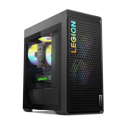
Benefit from a spacious 1 TB SSD drive ensuring ample storage for your favorite titles and minimizing loading times. Embrace the vibrant RGB lighting that adorns the entire machine, allowing you to showcase your battle colors. Stay connected with lagless precision using WiFi 6E, ensuring a smooth and uninterrupted internet connection during your gaming sessions.
Unleash the power of the HP Gaming PC for a gaming experience that transcends expectations, combining cutting-edge hardware with AI innovations for hyperrealistic visuals and unbeatable performance. Victory is measured in milliseconds – are you ready to dominate?


