Appliances Direct
Laptops Direct
Drones Direct
Better Bathrooms
Furniture 123
Dehumidifiers
Outdoor Living
Aircon
Buying for Business?

Get sales advice from our team 7 days a week

0871 244 0934

Dual Monitor Arms

Find adjustable dual monitor arms with tilt, swivel and height settings, plus models for larger or heavier monitors. Selected options also offer cable management, RGB lighting or a PC mount. With clamp and grommet fittings available, you can build a cleaner setup for work, gaming or a home office. Create more desk space and bring two screens into a position that works for you.

Sort by

Refine your results

Items per page

1 - 4 of 4 products
  • Supported Screen Size: 17 to 35"
  • Weight Capacity (Per Screen): 20kg
  • Adjustable swivel and tilt: Position your monitors for comfortable viewing
  • RGB Lighting strip: Customisable ambient lighting to enhance your gaming setup and atmosphere
  • Cable management keeps cables organised, tidy and out of sight
€79.97
View product

electriQ Dual Monitor Arm

SKU: OEM-DUALARM

  • Supported Screen Size: 17 to 32"
  • Weight Capacity (Per Screen): 9kg
  • Adjustable Swivel/Tilt 
  • Built in Cable Management  
€38.97
View product
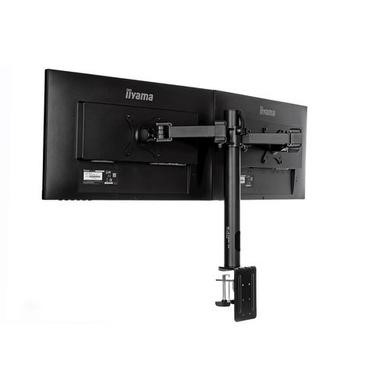
  • Supports two monitors up to 30"
  • 180° Pan
  • 90° Rotation
  • -85° to 15° Tilt
  • Recommended Display Size: Up to 30
€54.97
View product

electriQ Dual Monitor Arm + PC Mount

SKU: BUN/OEM-DUALARM/95505

  • Free-Tilting Design makes easy forward or backward adjustment for better viewing and reduced glare
  • Swiveling Arm(s) offer(s) maximum viewing flexibility (makes every seat the best seat)
  • Fine-Tuning Height Adjustment enables precision alignment of multiple screens
  • Two Mounting Options both desk clamp and grommet are included
  • Freely Adjusting Height for an optimal ergonomic position
€49.97
View product

Sort by

Items per page

1 - 4 of 4 products

Keep two screens organised with a dual monitor arm

A dual monitor arm holds two displays from one main mounting point, which can free up space taken by standard monitor bases. Each screen can then be positioned to suit your setup. Before buying, check the supported weight per screen, not just the total load. You should also check the VESA pattern on each monitor. 75 x 75mm and 100 x 100mm are common, but fit can vary by model.

Check your desk before fitting the mount

A dual monitor arm desk mount often uses either a clamp around the desk edge or a grommet fitting through a suitable hole. Check the desktop thickness and make sure there’s enough space beneath the desk for the fitting. Rear clearance matters too. Some arms need room behind the screens when folded, so a desk placed tight against a wall may limit how far you can move them.

Set both screens at a useful height and angle

A dual arm monitor stand can help you place two displays side by side without relying on their original bases. Adjustable arms can offer height, tilt, swivel and rotation, depending on the model.

If your screens differ in size or orientation, check that the arms have enough movement to line them up. Two separate single arms can offer more freedom in tight spaces, while one dual mount keeps the setup centred around one fixing point.

Frequently Asked Questions

Check the weight of each monitor without its original stand, then compare it with the arm’s weight limit per screen. You’ll also need to check the VESA pattern. Many monitors use 75 x 75mm or 100 x 100mm mounting points. Screen size matters too, as very wide displays can reduce the amount of movement between the arms.
It depends on your desk and how you position the screens. One dual mount uses a single fixing point and can create a neat setup. Two separate arms may give you more freedom if the monitors are different sizes, use portrait and landscape layouts, or sit close to a wall. If separate mounts suit you better, browse our single monitor arms.
Not always. Clamp mounts need a desk edge that falls within the supported thickness range and has enough clear space underneath. Drawers, frames and cable trays may block the clamp. You should also check that the desktop is strong enough to support the combined load of the mount and both screens.
Often, yes, as long as each screen falls within the stated size, weight and VESA limits. The main challenge is positioning them neatly. A larger display may need more space between the arms, while different screen heights can make alignment harder. Check the arm’s adjustment range if you plan to mix monitor sizes.
You may need longer display cables, adapters or cable management gear once the screens are raised off the desk. Browse our monitor accessories for useful additions to help connect and organise both displays.

Recently viewed


Back to top