


















Excellent cosmetic condition - looks like new and saves you money.


Save money
Enjoy significant savings without compromising on quality.

Reduce waste
Reduce electronic waste and lower your carbon footprint.

Extensively Tested
Every refurbished device is rigorously tested and repaired by certified technicians.

Warranty included
This device is protected with a warranty covering both parts and labour.
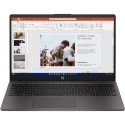
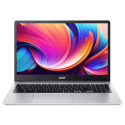
The Energizer EnergyBook with Intel Celeron N is designed to provide dependable performance for everyday computing needs. With a comfortable 15.6-inch display and a range of modern features, this laptop is ideal for students, professionals, and casual users who want a reliable device for daily productivity, web browsing, and streaming. It balances functionality and affordability without compromising on essential performance.
Efficient Intel Celeron N Processor
Powered by the Intel Celeron N processor, the EnergyBook delivers efficient performance for standard tasks such as document editing, web browsing, video conferencing, and email communication. While focused on handling everyday workloads, the processor ensures smooth operation for basic applications and allows you to stay productive without unnecessary complexity or cost.
Smooth Multitasking with 8GB RAM
With 8GB of RAM, this laptop can comfortably handle multiple applications running at the same time. You can switch between browser tabs, productivity software, and communication tools without significant lag, making everyday multitasking simple and responsive. Whether you’re working on school projects, organising files, or enjoying media, the memory ensures smooth performance.
Fast and Secure 256GB SSD Storage
The 256GB Solid State Drive offers fast boot times and quick access to your files and applications. SSD technology enhances overall system responsiveness compared to traditional hard drives and provides reliable storage for your most important data. With 256GB of space, you’ll have plenty of room for documents, photos, media files, and essential software.
Vibrant 15.6-Inch Display for Work and Entertainment
The 15.6-inch display delivers crisp, clear visuals for both productivity and entertainment. Whether you’re typing up reports, catching up on videos, or enjoying video calls with friends and family, the screen offers comfortable viewing and vibrant detail. Its size strikes the perfect balance between usability and portability for everyday use at home, school, or the office.
Windows 11 for a Modern User Experience
Pre-installed with Windows 11, the Energizer EnergyBook offers a modern, intuitive operating system designed to boost productivity and ease of use. With enhanced multitasking features, improved security, and integrated Microsoft services, Windows 11 helps you stay organised and connected. The familiar interface makes it easy to navigate and manage your tasks efficiently.
Practical Connectivity and Everyday Design
The EnergyBook includes a range of connectivity options that make it simple to connect peripherals, accessories, and external displays. The keyboard offers comfortable typing for extended sessions, while reliable Wi-Fi ensures smooth online performance for browsing, streaming, and collaboration. Designed for everyday use, this laptop combines practicality with dependable performance.
Ideal Choice for Everyday Computing
Overall, the Energizer EnergyBook with Intel Celeron N, 8GB RAM, and 256GB SSD offers a balanced and capable computing solution for everyday users. Its 15.6-inch display, efficient performance, and modern features make it suitable for work, study, and entertainment. Whether you’re at home, in the classroom, or on the go, this Windows 11 laptop delivers reliable performance in a user-friendly package.



