Appliances Direct
Laptops Direct
Drones Direct
Better Bathrooms
Furniture 123
Dehumidifiers
Outdoor Living
Aircon
Buying for Business?

Get sales advice from our team 7 days a week

0871 244 0934

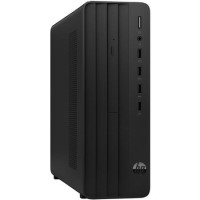
Refurbished HP Pro 290 G9 Intel Core i5-12400 8GB RAM 256GB SSD Windows 11 Pro Desktop PC

SKU: A1/6B2S0EA Quickfind Code: 2014968

This product is no longer available.

Still need help?

For help finding something similar, just give us a call on 0871 244 0934*

* Calls cost 13p per min plus your network access charge

GRADE A1

Powered for performance

Easily manage your daily business with an Intel processor, powerful memory, drives, and graphics.

Expansion for the future

Two bays and two full-height slots provide expandability for the future.

Help keep data safe

Help protect your investment and your data with firmware TPM, HP Drive Lock, and a physical security lock slot.

High performance, high portability

Get the exceptional combination of responsive performance, connectivity and speed with a 12th Gen Intel Core processor that lets you launch, create, and connect fast and reliably. 

Help protect our shared future

The HP Pro SFF 290 G9 comes with a 92 percent sustainably sourced and recyclable outer box.

Intelligent Audio

Collaborate like you’re in the same room. Intelligent Audio enhances your audio quality and reduces background noises, so you can hear and be heard, creating a better conference experience for all.

ExpressConnect

New ExpressConnect automatically joins the strongest access point and directs bandwidth to critical applications, wherever you work.

ExpressResponse

 With Intel Adaptix Technology, prioritize your most important apps, so they open faster and perform better.


Some devices may come with Windows 11 pre installed, but some may need manually updating to the latest version of Windows from Windows 10, 10S or 11S. It's easy and free to do in just 3 easy steps. Find out how by clicking here »

How To Easily Update Your Windows Laptop

Some devices may come with Windows 11 pre installed, but some may neeed manually updating to the latest version of Windows from Windows 10, 10S or 11S. It's easy and free to do in just 3 easy steps.

Windows 11 the most productive and secure version of windows yet with easy Navigation, easy organisation and faster performance. Windows 11 has all the power and security of past Windows verisions but with a redesigned and refrshed look. With new tools, sounds and apps that all come together to bring a new refreshing Windows experience.

1. Settings > On your device Select the start button, then click on settings.

2. Updates & Security > Click on Updates & Security.

3. Windows Update > Select check for updates. If updates are available, click instal to get the latest version of Windows.


You may also like

Recently viewed


Back to top