

















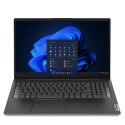
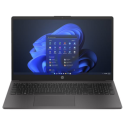

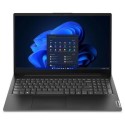



Very good condition - may display light cosmetic marks


Save money
Enjoy significant savings without compromising on quality.

Reduce waste
Reduce electronic waste and lower your carbon footprint.

Extensively Tested
Every refurbished device is rigorously tested and repaired by certified technicians.

Warranty included
This device is protected with a warranty covering both parts and labour.
The HP 250 G10 is a dependable, budget-friendly notebook designed to keep you connected and productive on the go. It balances essential performance with a professional 15.6-inch display, a durable chassis, and necessary business features. This laptop is a smart investment for everyday tasks, providing the reliability and tools required for small business and hybrid work environments.
Intel Core i3 Power: Essential Daily Performance
This model is powered by the Intel Core i3-1315U Processor, featuring an efficient architecture with 6 cores (2 Performance-cores and 4 Efficient-cores) and 8 threads. This processor delivers solid performance for daily computing tasks, including web browsing, document editing, and video conferencing, ensuring a responsive experience for all your routine professional needs.
8GB DDR4 Memory: Capable Multitasking
Equipped with 8GB of DDR4 RAM, the HP 250 G10 handles standard business applications and moderate multitasking efficiently. This capacity ensures smooth operation when managing multiple browser tabs and working within common office suite applications, providing a stable platform for your daily workflow.
Fast 256GB SSD Storage
The inclusion of a 256GB PCIe NVMe SSD ensures quick system boot-ups and rapid loading times for your applications and files. This solid-state drive significantly improves overall system responsiveness and offers a more durable storage solution compared to traditional hard drives, protecting your data while you are on the move.
15.6-inch Full HD Display: Clear Visuals for Work
The 15.6-inch Full HD (1920 x 1080) display provides a clear and comfortable viewing area for all your work. The anti-glare finish reduces reflections, making it easier to concentrate in varied lighting conditions, while the narrow border design keeps the laptop sleek and modern.
Windows 11 Home and Comprehensive Connectivity
The HP 250 G10 comes pre-installed with Windows 11 Home, offering a modern, user-friendly interface and essential built-in security features. Connectivity options are comprehensive and include Wi-Fi 6 for fast wireless networking, Bluetooth 5.3, a full complement of ports including USB Type-C, USB Type-A, HDMI 1.4b, and a dedicated RJ-45 Ethernet port for reliable wired connections.