




















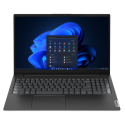
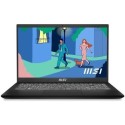

Excellent cosmetic condition - looks like new and saves you money.


Save money
Enjoy significant savings without compromising on quality.

Reduce waste
Reduce electronic waste and lower your carbon footprint.

Extensively Tested
Every refurbished device is rigorously tested and repaired by certified technicians.

Warranty included
This device is protected with a warranty covering both parts and labour.
Whether you’re at home, school, or work, get all the performance you need with the latest Intel Processors; maintaining order and keeping your apps running consistently and smoothly.
Color-rich Display
The Full HD1 display keeps images and videos stunning while the narrow border offers-up more viewable space. To protect user’s eyes from harmful blue light, it also includes Acer BlueLightShield.
High-speed Storage
Users have plenty of storage for all of their media, work files, and more.
Plenty of Ports
With three USB ports, including two USB 3.2 Gen 1 and one USB 2.0, you’re always prepared for any situation – whether plugging in for a presentation or using the latest peripherals. If needed, you can also connect to an external display via the HDMI port when the occasion calls for a larger screen.
Stay Connected
Users get easy updates to the latest information with a full range of connectivity options. Wi-Fi 5 (802.11ac) provides fast internet access. For enhanced video calls, this laptop also includes an optimized camera and microphones.
Purposeful Design
The practical design has been slimmed down to provide users with an easily portable device and even includes an ergonomic hinge that pulls in additional airflow from underneath the laptop.



