Appliances Direct
Laptops Direct
Drones Direct
Better Bathrooms
Furniture 123
Dehumidifiers
Outdoor Living
Aircon
Buying for Business?

Get sales advice from our team 7 days a week

0871 244 0934

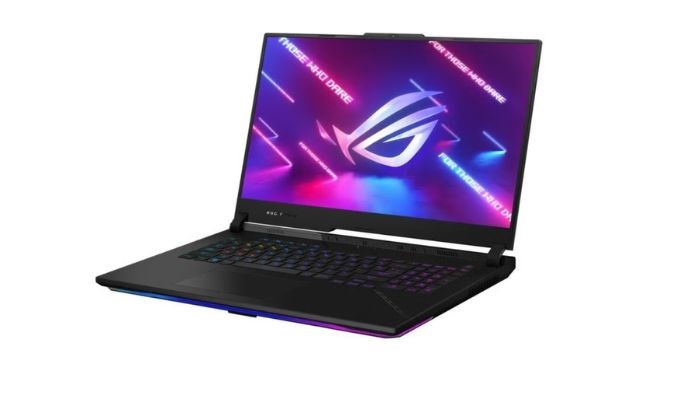
Refurbished ASUS ROG Strix SCAR 17 AMD Ryzen 9 32GB RAM 2TB SSD RTX 4090 240Hz 17.3 Inch QHD Windows 11 Gaming Laptop

SKU: A2/G733PYV-LL046W Quickfind Code: 2044173
SAVE 33%

This product is no longer available.

Still need help?

For help finding something similar, just give us a call on 0871 244 0934*

* Calls cost 13p per min plus your network access charge


Asus ROG Strix Scar 17 AMD Ryzen 9 32GB 2TB RTX 4090 240Hz 17.3 Inch Windows 11 Home Gaming Laptop


Key features

  • Dedicated GeForce® RTX™ 4090 16GB graphics
  • AMD Ryzen™ 9 7945HX3D processor with 16 cores
  • 32GB of DDR5 RAM - run the most demanding software
  • 2TB SSD offers loads of storage & super-fast loading
  • Dolby Vision™ means a huge range of bright colours
 

Display

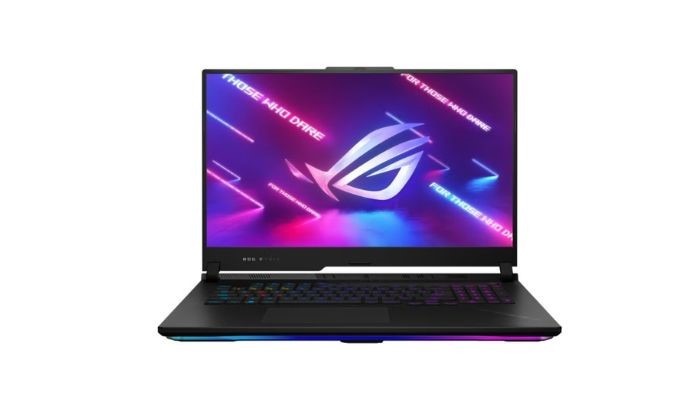
High refresh rate and resolution - A 17.3-inch display with a 240Hz refresh rate provides a smooth gaming experience with reduced motion blur.

Design and Cooling

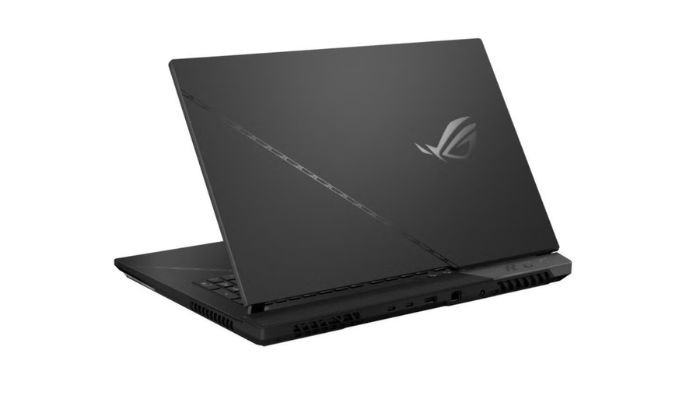
Premium design and efficient cooling system - The Asus ROG Strix Scar series often features a sleek and stylish design with optimized cooling solutions to ensure that the laptop can handle intense gaming sessions without overheating.


Connectivity

Multiple ports and wireless options - Expect a variety of ports for connecting peripherals and accessories, as well as Wi-Fi and Bluetooth for wireless connectivity.

Operating System

Windows 11 Home - The laptop comes pre-installed with Windows 11 Home, providing the latest features and optimizations for gaming and productivity.
Keyboard and RGB Lighting

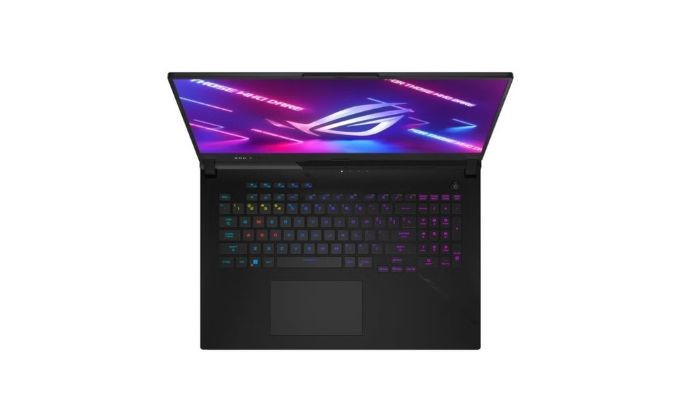
The laptop features a gaming keyboard with RGB backlighting, allowing customization of lighting effects and improved visibility in low-light conditions.

Audio

The laptop is equipped with high-quality speakers and audio technology to enhance the gaming and multimedia experience.



Some devices may come with Windows 11 pre installed, but some may need manually updating to the latest version of Windows from Windows 10, 10s or 11s. It's easy and free to do in just 3 easy steps. Find out how by clicking here »

How To Easily Update Your Windows Laptop

Some devices may come with Windows 11 pre installed, but some may neeed manually updating to the latest version of Windows from Windows 10, 10s or 11s. It's easy and free to do in just 3 easy steps.

Windows 11 the most productive and secure version of windows yet with easy Navigation, easy organisation and faster performance. Windows 11 has all the power and security of past Windows verisions but with a redesigned and refrshed look. With new tools, sounds and apps that all come together to bring a new refreshing Windows experience.

1. Settings > On your device Select the start button, then click on settings.

2. Updates & Security > Click on Updates & Security.

3. Windows Update > Select check for updates. If updates are available, click instal to get the latest version of Windows.


You may also like

Recently viewed


Back to top