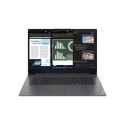
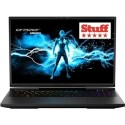
Unstoppable performance
Featuring a 11th gen Intel Core i7 and 16 GB of RAM, the Alienware x17 R1 17.3" Gaming Laptop delivers a fast, lag-free performance whether you're playing an intense FPS, streaming or browsing the web.
NVIDIA GeForce RTX 3060
Crank up the settings to ultra. Starring a NVIDIA GeForce RTX 3060 GPU, the Alienware x17 R1 can handle it.
To get the most out of high framerates, you need a fast display to keep up. With the x17 R1, you get a 165 Hz refresh rate screen for smooth and fluid gaming.
Sleek RGB keyboard
The laptop has a state-of-the-art mechanical keyboard with full n-key rollover. And it's RGB back-lit, ready for your custom lighting effects.
Cool chassis
As the x17 R1 17.3" Gaming Laptop packs a lot of power, it needs some serious cooling. With quad fan cooling system with the improved airflow, it can deliver 100% power all of the time.

Some devices may come with Windows 11 pre installed, but some may need manually updating to the latest version of Windows from Windows 10, 10s or 11s. It's easy and free to do in just 3 easy steps. Find out how by clicking here »
How To Easily Update Your Windows Laptop
Some devices may come with Windows 11 pre installed, but some may neeed manually updating to the latest version of Windows from Windows 10, 10s or 11s. It's easy and free to do in just 3 easy steps.
Windows 11 the most productive and secure version of windows yet with easy Navigation, easy organisation and faster performance. Windows 11 has all the power and security of past Windows verisions but with a redesigned and refrshed look. With new tools, sounds and apps that all come together to bring a new refreshing Windows experience.
1. Settings > On your device Select the start button, then click on settings.
2. Updates & Security > Click on Updates & Security.
3. Windows Update > Select check for updates. If updates are available, click instal to get the latest version of Windows.