




















Excellent cosmetic condition - looks like new and saves you money.


Save money
Enjoy significant savings without compromising on quality.

Reduce waste
Reduce electronic waste and lower your carbon footprint.

Extensively tested
Every refurbished device is rigorously tested and repaired by certified technicians.
BSI Kitemark Certified
This device meets the BSI Kitemark™ certification standards, guaranteeing its quality and safety.

Warranty included
This device is protected with a warranty covering both parts and labour.
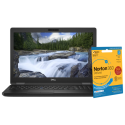
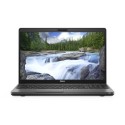
The Dell Latitude 5591 is a high-performance business laptop built to handle intensive professional workloads. Powered by the 8th Generation Intel Core i7 processor, this system offers robust processing capabilities, ensuring smooth performance whether you're multitasking across applications, handling large datasets, or running virtual environments. It’s the ideal companion for professionals who need consistent power and speed.
Ample Memory for Smooth Multitasking
With 16GB of DDR4 RAM, the Latitude 5591 ensures a responsive and efficient multitasking experience. Whether you're conducting video conferences while working on spreadsheets, browsing multiple tabs, or operating resource-heavy software like AutoCAD or Adobe Suite, the system runs effortlessly without lag or delay—helping you stay productive and focused.
Fast and Secure Storage
The integrated 256GB SSD (Solid State Drive) provides faster boot times, quick application launches, and rapid file transfers compared to traditional hard drives. In addition to enhancing overall system responsiveness, SSDs are more reliable and energy-efficient. With 256GB of space, users can comfortably store essential documents, applications, and multimedia files with confidence.
Vivid Visuals on a Full HD Display
Enjoy crisp, clear visuals with the 15.6-inch Full HD (1920x1080) display. The anti-glare screen is perfect for professionals working long hours, minimizing eye strain and improving visibility in various lighting conditions. Whether you're editing documents, streaming presentations, or watching videos, the FHD display delivers sharp images and vibrant colors.
Built for Business and Durability
Designed with professional use in mind, the Latitude 5591 boasts a durable chassis that meets MIL-STD-810G standards for toughness and reliability. It’s built to survive the rigors of daily travel, meetings, and mobile work. Despite its robust build, the laptop maintains a sleek, professional look, ideal for boardrooms and client-facing roles.
Comprehensive Connectivity Options
Stay connected wherever you go. The Dell Latitude 5591 features a broad array of connectivity ports including USB 3.1, USB-C, HDMI, VGA, Ethernet, and an SD card reader, making it easy to connect to external monitors, projectors, networks, and storage devices. With Wi-Fi and Bluetooth support, you’ll enjoy fast wireless communication at work, home, or on the move.
Security and Manageability for IT Environments
Security is a top priority with the Latitude 5591. It includes enterprise-grade protection features such as TPM 2.0, optional fingerprint reader, Smart Card reader, and Dell Data Protection tools. These features ensure your data is safe and access is restricted to authorized users, giving IT departments and professionals peace of mind in managing sensitive information.
Ideal for Hybrid Work Environments
Whether you're working remotely or in the office, the Dell Latitude 5591 adapts seamlessly to hybrid work needs.
What's in the Box?
- Laptop
- Power adaptor
When setting up your new unit you will need to activate your Microsoft License Key. Follow the simple step by step guide to find out how to do so, it is really quick and easy to do!
How to activate your Microsoft License Key »



