











Appliances Direct
Laptops Direct
Drones Direct
Better Bathrooms
Furniture 123
Dehumidifiers
Outdoor Living
Aircon
Buying for Business?

Get sales advice from our team 7 days a week

0871 244 0934

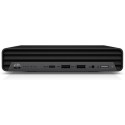
Refurbished Dell OptiPlex 7090 Core i7 10th gen 16GB RAM 256GB SSD Windows 11 Pro Micro Desktop PC

SKU: T2/7090MFFi716GB256GBW11P Quickfind Code: 2088382
Very Good Condition

Very good condition - may display light cosmetic marks.

Cost Saving
Save money

Enjoy significant savings without compromising on quality.

Reduced Waste
Reduce waste

Reduce electronic waste and lower your carbon footprint.

Extensive Testing
Extensively tested

Every refurbished device is rigorously tested and repaired by certified technicians.
BSI Kitemark Certified

This device meets the BSI Kitemark™ certification standards, guaranteeing its quality and safety.

Included Warranty
Warranty included

This device is protected with a warranty covering both parts and labour.

Compact Powerhouse
Powered by a 10th Gen Intel Core i7 processor, delivering fast, reliable performance for multitasking, office productivity, and business applications.

Efficient Memory & Storage
Equipped with 16GB DDR4 RAM for smooth multitasking and a 256GB SSD for quick boot times, responsive file access, and secure storage.

Space-Saving Micro Design
Ultra-compact form factor that fits seamlessly into any workspace, whether mounted behind a monitor or tucked under a desk.

Enterprise-Ready OS
Runs on Windows 11 Pro, offering advanced security features, productivity tools, and compatibility with enterprise-grade applications.

Reliable Business-Class Build
Designed for durability and long-term use, with Dell’s reputation for dependable enterprise hardware.


Some devices may come with Windows 11 pre installed, but some may need manually updating to the latest version of Windows from Windows 10, 10S or 11S. It's easy and free to do in just 3 easy steps. Find out how by clicking here »

How To Easily Update Your Windows Laptop

Some devices may come with Windows 11 pre installed, but some may neeed manually updating to the latest version of Windows from Windows 10, 10S or 11S. It's easy and free to do in just 3 easy steps.

Windows 11 the most productive and secure version of windows yet with easy Navigation, easy organisation and faster performance. Windows 11 has all the power and security of past Windows verisions but with a redesigned and refrshed look. With new tools, sounds and apps that all come together to bring a new refreshing Windows experience.

1. Settings > On your device Select the start button, then click on settings.

2. Updates & Security > Click on Updates & Security.

3. Windows Update > Select check for updates. If updates are available, click instal to get the latest version of Windows.


You may also like

Recently viewed


Back to top