



















Powerful Intel® Core™ i5 Performance
Equipped with the Intel® Core™ i5-14500 processor, the DELL Pro QCS1250 delivers seamless performance for both everyday tasks and demanding workloads. Whether multitasking, running productivity applications, or handling complex spreadsheets, this slim PC ensures smooth and responsive computing, making it ideal for modern office environments.
Ample Memory with DDR5 Technology
With 8 GB of DDR5-SDRAM, this PC provides fast and efficient memory performance. DDR5 technology enhances system responsiveness, allowing you to switch between applications effortlessly, load programs quickly, and maintain productivity without slowdowns.
Fast and Reliable Storage
The 512 GB SSD offers lightning-fast boot times and rapid access to your files, programs, and applications. Unlike traditional hard drives, the SSD ensures quieter operation, greater durability, and a snappy experience for both work and entertainment.
Windows 11 Pro for Business and Productivity
Pre-installed with Windows 11 Pro, this PC provides a secure, intuitive, and feature-rich operating system. Enjoy enhanced security features, seamless collaboration tools, and a modern interface designed to streamline your workflow.
Slim and Space-Saving Design
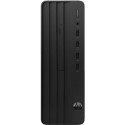
The DELL Pro QCS1250’s compact and sleek design fits effortlessly into any workspace. Its black chassis combines elegance with practicality, making it perfect for offices with limited desk space while still offering powerful performance.
Connectivity and Expansion
This slim PC includes a variety of ports and connectivity options to accommodate your peripherals and accessories. Whether it’s connecting multiple monitors, external drives, or other devices, the DELL Pro QCS1250 ensures a flexible and adaptable computing experience.


