












Appliances Direct
Laptops Direct
Drones Direct
Better Bathrooms
Furniture 123
Dehumidifiers
Outdoor Living
Aircon
Buying for Business?

Get sales advice from our team 7 days a week

0871 244 0934

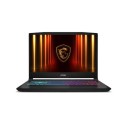
Refurbished MSI Katana GF66 Core i7-11800H 16GB 512GB RTX 3070 15.6 Inch Windows 11 Gaming Laptop

SKU: A1/9S7-158112-843 Quickfind Code: 1738988
SAVE 28%

This product is no longer available.

Still need help?

For help finding something similar, just give us a call on 0871 244 0934*

* Calls cost 13p per min plus your network access charge

Excellent Condition

Excellent cosmetic condition - looks like new and saves you money.

Cost Saving
Save money

Enjoy significant savings without compromising on quality.

Reduced Waste
Reduce waste

Reduce electronic waste and lower your carbon footprint.

Extensive Testing
Extensively Tested

Every refurbished device is rigorously tested and repaired by certified technicians.

Included Warranty
Warranty included

This device is protected with a warranty covering both parts and labour.

What we love

- The 11th gen Intel i7 processor has eight cores and is up for some heavy multi-tasking and gaming

- Forget checking the game requirements, the RTX 3070 graphics card will play anything you throw at it, at high framerates

- Cooler Boost 5 cooling boasts six heat pipes and special thermal grease to keep both the processor and graphics card cool  even when running at full throttle

- The 144 Hz IPS display is perfect for smooth gameplay and has vivid colours and wide viewing angles

- The red-backlit keyboard is tactile and responsive, ready for serious online gaming

- 512 GB of SSD storage offers fast loading speeds and plenty of space

- With 16 GB of RAM you can run multiple apps at the same time, including many browser tabs

- Intel WiFi 6 makes for stable and swift internet connectivity

Some devices may come with Windows 11 pre installed, but some may need manually updating to the latest version of Windows from Windows 10, 10s or 11s. It's easy and free to do in just 3 easy steps. Find out how by clicking here »

How To Easily Update Your Windows Laptop

Some devices may come with Windows 11 pre installed, but some may neeed manually updating to the latest version of Windows from Windows 10, 10s or 11s. It's easy and free to do in just 3 easy steps.

Windows 11 the most productive and secure version of windows yet with easy Navigation, easy organisation and faster performance. Windows 11 has all the power and security of past Windows verisions but with a redesigned and refrshed look. With new tools, sounds and apps that all come together to bring a new refreshing Windows experience.

1. Settings > On your device Select the start button, then click on settings.

2. Updates & Security > Click on Updates & Security.

3. Windows Update > Select check for updates. If updates are available, click instal to get the latest version of Windows.


You may also like

Recently viewed


Back to top

