







Excellent cosmetic condition - looks like new and saves you money.


Save money
Enjoy significant savings without compromising on quality.

Reduce waste
Reduce electronic waste and lower your carbon footprint.

Extensively Tested
Every refurbished device is rigorously tested and repaired by certified technicians.

Warranty included
This device is protected with a warranty covering both parts and labour.
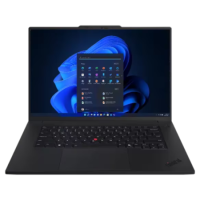
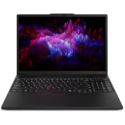
Elevate your work-anywhere experience with the 16 ThinkPad P1 Gen 7 a revolution in mobile workstations with its premium power and sleek, visually stunning design. Perfectly balancing form and function, this system redefines portable performance and ensures readiness to excel in remote work scenarios.
Streamline Your IT Operations
With up to Intel vPro technology, this mobile workstation delivers the multilayer security, management, and stability that IT pros love. Safeguard assets from emerging cyber threats, get faster insights on your business, and optimize remote operations.
Follow Your Pursuits Anywhere
When youre on the go, you need a battery powerful enough to support time in the field without electrical outlets. The P1 Gen 7 boasts a massive battery thats also replaceable, should you ever need to upgrade. Plus, it supports rapid-charging technology, so when you need a charge, simply plug in for 60 minutes and get 80% capacity.
When Every Pixel Counts
When premium displays really matter, the P1 Gen 7 laptop has you covered. All of your choices include wide-angle views, low blue light to prevent eye strain, and X-Rite factory colour calibration to ensure colour accuracy when youre creating. You can also choose a touchscreen model with millions of pixels for premium visuals.
Optimal Software Performance
Software and apps run flawlessly on the P1 Gen 7 workstation, which boasts a long list of independent software vendor (ISV)* certifications. Whether you work in Adobe, AutoCAD, Maya or something else, you can trust that we've eliminated compatibility issues and potential crashes, so you'll enjoy great project-output quality without hiccups.
Smooth & Efficient
Go ahead push your device to perform. The ThinkPad P1 Gen 7 mobile workstation offers advanced thermals, including liquid metal cooling on select models, and an innovative Flex Cooling System, a fan-based cooling mechanism. Plus a dual-outlet exhaust system optimizes airflow and keeps your system running efficiently.
Huge Memory Reserve & Performance Capacity
Compile code faster and streamline app development on the ThinkPad P1 Gen 7 workstation. An industry first, this laptop features customer-replaceable LPCAMM2 memory to align with your evolving needs. It boasts lower latency, better bandwidth, and faster speeds to run multiple applications simultaneously, reducing load times for heavy-duty programs.
ThinkPad Reliability
Even with its efficiency and recycled materials, you can count on the P1 Gen 7 for durability. With MIL-STD-810H certification, it meets or exceeds 12 standards, 26 procedures, and 200+ quality checks ensure that these devices run in extreme conditions.
Steadfast Security
Biometrics provide extra protection on the P1 Gen 7 workstation. ThinkShield, our comprehensive suite of security solutions, boasts discrete Trusted Platform Module (dTPM) to encrypt critical data. Plus Intel Threat Detection Technology helps prevent ransomware, cryptojacking, and more.