

























Excellent cosmetic condition - looks like new and saves you money.


Save money
Enjoy significant savings without compromising on quality.

Reduce waste
Reduce electronic waste and lower your carbon footprint.

Extensively Tested
Every refurbished device is rigorously tested and repaired by certified technicians.

Warranty included
This device is protected with a warranty covering both parts and labour.
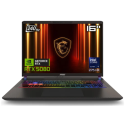
The ERAZER Beast 16 X1 is built for those who demand uncompromising performance, lightning-fast speeds, and immersive visuals. Designed for serious gamers and esports pros, this laptop delivers the power, precision, and style needed to stay ahead of the competition.
Blisteringly Fast, Ultra-Smooth Display
Experience gameplay like never before with a 16.0” QHD+ 300Hz MiniLED HDR 1000 display. The 300Hz refresh rate ensures every movement is captured with pinpoint accuracy, eliminating motion blur for razor-sharp precision in fast-paced action. With DCI-P3 100% colour accuracy, HDR 1000 brightness, and a 16:10 aspect ratio, the visuals are not only fluid but also stunningly vivid, making every detail pop whether you’re gaming or creating content.
Performance That Gives You the Edge
- Intel Core 9 275HX (55W) – Power through demanding games and multitasking with ease
- NVIDIA GeForce RTX 5080 (16GB GDDR7, 175W) – AI-powered graphics and real-time ray tracing for hyper-realistic visuals
- 32GB DDR5 RAM (6400 MHz) & 2TB SSD – Fast load times and zero lag for a seamless experience
RGB Lighting That Elevates Your Game
Your setup isn’t just about power—it’s about style. The gaming RGB keyboard features precise mechanical-style switches and per-key customisable lighting, allowing you to fine-tune colours, effects, and layouts to match your playstyle. Add in the illuminated ERAZER Wings and RGB Front Light Bar, and you’ve got a laptop that doesn’t just perform—it commands attention.
Stay Cool Under Pressure
When the competition heats up, the optional ERAZER Cooling Kit V2 keeps temperatures low, ensuring consistent performance in marathon gaming sessions. Combined with the aluminium chassis, this machine is designed to stay cool, even when pushing limits.
Connectivity & Audio for the Competitive Edge
- Nahimic 3D Sound by SteelSeries – Hear every footstep and shot with pinpoint accuracy
- Intel Wi-Fi 6E & Thunderbolt 4 – Ultra-fast connectivity for lag-free gaming and streaming
- FHD + IR Webcam – Crystal-clear video for streaming and online play
- With a high-capacity 99Wh battery and 420W Slim AC Adaptor, the ERAZER Beast 16 X1 is built for serious gamers who need power, performance, and style—wherever they play.
This isn’t just a gaming laptop. It’s your competitive advantage.



