





















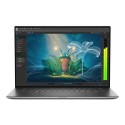

Excellent cosmetic condition - looks like new and saves you money.


Save money
Enjoy significant savings without compromising on quality.

Reduce waste
Reduce electronic waste and lower your carbon footprint.

Extensively Tested
Every refurbished device is rigorously tested and repaired by certified technicians.

Warranty included
This device is protected with a warranty covering both parts and labour.
This Acer Aspire laptop is great for everyday use. Stream shows, email friends, or crack on with a bit of work - its lightweight, portable design offers total convenience. 16GB of RAM delivers smooth performance when multitasking, and thanks to the 15.6" Full HD screen, you'll get a really clear, crisp picture; perfect for streaming your favourite dramas. Plus, with 512GB of SSD storage, it's quick and easy to load your music, photos, documents and anything else you need.
Keep In Contact
Thanks to the onboard camera, this device, once connected to Wi-Fi, will let you take part in video chats or virtual meetings, enabling the fun of the office to come to you.
The Power Of Intel Core i7
The Intel Core i7 processor in this laptop lets you flex your creative muscles. You won't have any problems running demanding software, and power-hungry programs like image manipulation and video editing will work like a dream. Its 10-core, 12-thread design keeps everything running smoothly, and you'll also be able to enjoy a spot of casual gaming too.
A Solid Performer
The more RAM your machine has, the faster you can expect it to open and run programs. This laptop packs 16GB of RAM; plenty if you have to have lots of tabs open and like to multi-task between apps.
Super-Fast Loading With Loads Of Storage
The 512GB Solid State Drive (SSD) gives you the capacity to store documents and media, while ensuring speedy and dependable access to your files and programs. It'll boots up in a flash, and you'll have enough space for your music, films, and a couple of games too.
Intel Iris Xe Graphics
Intel’s Iris Xe graphics processing unit (GPU) will enable you to enjoy a number of classic older games, along with some casual (web-based) gaming. You may be able to run more modern titles with reduced effects and frame rates.
Great Entertainment
The Full HD display means all your favourite films and games will look just as incredible as they do on TV, with the built-in sound system providing crisp, clear audio to accompany whatever's on-screen.
Connecting Your Other Device
Connect to TVs or external displays with the HDMI output. Listen to music using a 3.5mm headphone jack. Connect to high-speed peripherals with the USB ports, and send data wirelessly between devices using Bluetooth.



