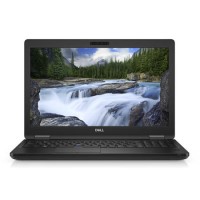





Excellent cosmetic condition - looks like new and saves you money.


Save money
Enjoy significant savings without compromising on quality.

Reduce waste
Reduce electronic waste and lower your carbon footprint.

Extensively tested
Every refurbished device is rigorously tested and repaired by certified technicians.
BSI Kitemark Certified
This device meets the BSI Kitemark™ certification standards, guaranteeing its quality and safety.

Warranty included
This device is protected with a warranty covering both parts and labour.
Office everywhere.
Latitude’s superior security, versatility and accessories empower the way you work. Because your success relies on the ability to maintain office-level productivity, wherever your job takes you.
Processor: Intel Core i7 8th Generation
Delivers strong performance for multitasking and productivity.
Memory: 8GB DDR4 RAM
Smooth operation for everyday business applications.
Storage: 256GB SSD
Fast boot times and quick access to files with reliable solid-state storage.
Display: 15.6-inch Full HD screen
Crisp visuals for work, presentations, and media.
Operating System: Windows 11 Pro
Enhanced security, modern interface, and productivity tools.
Design: Durable Latitude build
Professional-grade chassis designed for long-term use.
Connectivity: Multiple USB ports, HDMI, and docking support
Versatile connections for peripherals and external displays.
Audio & Video: Integrated HD webcam and stereo speakers
Clear communication for video calls and conferences.
What's in the Box?
- Laptop
- Power adaptor
When setting up your new unit you will need to activate your Microsoft License Key. Follow the simple step by step guide to find out how to do so, it is really quick and easy to do!
How to activate your Microsoft License Key »