






















Good condition - Some scratches or dents


Save money
Enjoy significant savings without compromising on quality.

Reduce waste
Reduce electronic waste and lower your carbon footprint.

Extensively Tested
Every refurbished device is rigorously tested and repaired by certified technicians.

Warranty included
This device is protected with a warranty covering both parts and labour.
High-Performance Computing
Powered by an Intel Core i7 8th Gen processor, delivering speed and efficiency for multitasking, business applications, and creative workloads.
Smooth Multitasking
16GB DDR4 RAM ensures seamless performance when running multiple programs, virtual meetings, or data-heavy tasks.
Fast & Reliable Storage
A 512GB SSD offers rapid boot times, quick file access, and dependable storage for documents, media, and applications.
Immersive Visuals
Crisp 23.8-inch Full HD display provides sharp detail and vibrant colors, ideal for presentations, design work, and everyday productivity.
Professional OS Experience
Comes with Windows 11 Pro, offering advanced security, productivity tools, and a modern interface tailored for professional environments.
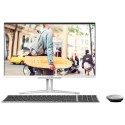
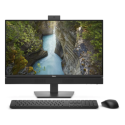
Elegant All-in-One Design
Sleek, space-saving form factor integrates power and style, reducing desk clutter while enhancing workspace aesthetics.
Enterprise-Grade Security
HP’s built-in security features combined with Windows 11 Pro safeguards help protect sensitive data and ensure peace of mind.
Versatile Connectivity
Multiple USB ports, HDMI, and networking options keep you connected to peripherals, external displays, and business networks.


