

















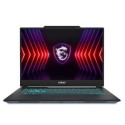
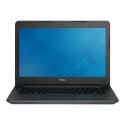
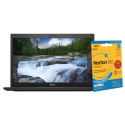
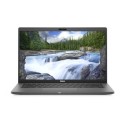

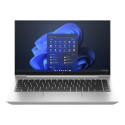


Excellent cosmetic condition - looks like new and saves you money.


Save money
Enjoy significant savings without compromising on quality.

Reduce waste
Reduce electronic waste and lower your carbon footprint.

Extensively tested
Every refurbished device is rigorously tested and repaired by certified technicians.
BSI Kitemark Certified
This device meets the BSI Kitemark™ certification standards, guaranteeing its quality and safety.

Warranty included
This device is protected with a warranty covering both parts and labour.
Reliable Performance with Intel Core i7 10th Gen Processor
The HP ProBook 440 G7 is powered by a 10th Gen Intel Core i7 processor, delivering the speed and efficiency needed for business professionals and multitaskers. Whether you're handling large spreadsheets, running demanding applications, or multitasking with multiple programs, this processor ensures smooth and reliable performance for everyday productivity.
Seamless Multitasking with 16GB RAM
Equipped with 16GB of RAM, this laptop provides ample memory to support heavy workloads and multiple open applications. Whether you're switching between browser tabs, running virtual meetings, or working on intensive projects, the ProBook 440 G7 ensures lag-free performance and a seamless workflow.
Fast and Secure Storage with 512GB SSD
The 512GB SSD offers high-speed data access, allowing for quick boot-up times and rapid file transfers. With SSD storage, you get enhanced durability, improved energy efficiency, and a quieter system compared to traditional hard drives. Plus, the ample storage space ensures you can keep all your important files, documents, and software readily accessible.
Compact and Professional 14-Inch Display
Designed for professionals on the move, the 14-inch display offers a perfect balance between portability and usability. The crisp resolution provides clear visuals for work and entertainment, while the slim bezels enhance the viewing experience. Its compact form factor makes it easy to carry, making it an ideal choice for those who need a reliable laptop for travel or office use.
Windows 11 Pro for Business Security and Productivity
Pre-installed with Windows 11 Pro, this laptop comes with advanced security features, enhanced productivity tools, and seamless integration with business applications. With features like BitLocker encryption, Remote Desktop, and enterprise-grade security, you can work confidently, knowing your data is protected while enjoying a professional computing experience tailored for business needs.
What's in the Box?
- Laptop
- Power adaptor
When setting up your new unit you will need to activate your Microsoft License Key. Follow the simple step by step guide to find out how to do so, it is really quick and easy to do!
How to activate your Microsoft License Key »



