





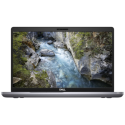
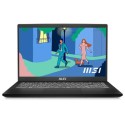


Very good condition - may display light cosmetic marks.


Save money
Enjoy significant savings without compromising on quality.

Reduce waste
Reduce electronic waste and lower your carbon footprint.

Extensively tested
Every refurbished device is rigorously tested and repaired by certified technicians.
BSI Kitemark Certified
This device meets the BSI Kitemark™ certification standards, guaranteeing its quality and safety.

Warranty included
This device is protected with a warranty covering both parts and labour.
Heavy-Duty Intel Core i7
High-performance, multi-threaded processing engineered to crush complex calculations and heavy workloads without breaking a sweat.
32GB Power-User Memory
The sweet spot for extreme multitasking. Run virtual machines, maintain dozens of active browser tabs, and edit high-res media simultaneously with zero system lag.
512GB Ultra-Fast SSD
Boots up in seconds and transfers massive project files in moments, eliminating frustrating load times.
NVIDIA Quadro P620 Professional GPU
Hardware-certified stability and precision optimized specifically for CAD, 3D modeling, and engineering suites like AutoCAD, Revit, and SolidWorks.
15.6" Full HD Display
Crisp, high-definition screen offering expansive visual real estate for comfortable side-by-side window management.
Windows 11 Pro Pre-Loaded
Enterprise-ready security out of the box, featuring BitLocker encryption and Remote Desktop for modern hybrid work environments.
Military-Grade Durability
Built into a sleek, premium all-metal ZBook chassis tested to rigorous MIL-STD standards against drops, shocks, and spills.
Advanced Pro Cooling
Custom thermal management keeps the CPU and Quadro GPU running at peak speed during long render sessions, eliminating the throttling that slows down standard ultrabooks.
What's In The Box?
- Laptop
- Power Adaptor
When setting up your new unit you will need to activate your Microsoft License Key. Follow the simple step by step guide to find out how to do so, it is really quick and easy to do!
How to activate your Microsoft License Key »