

















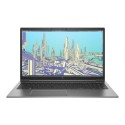


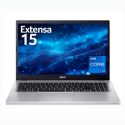
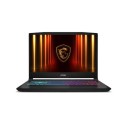

Very good condition - may display light cosmetic marks.


Save money
Enjoy significant savings without compromising on quality.

Reduce waste
Reduce electronic waste and lower your carbon footprint.

Extensively tested
Every refurbished device is rigorously tested and repaired by certified technicians.
BSI Kitemark Certified
This device meets the BSI Kitemark™ certification standards, guaranteeing its quality and safety.

Warranty included
This device is protected with a warranty covering both parts and labour.
Intel Core i7 11th Gen Processor
Delivers lightning-fast responsiveness and seamless multitasking for demanding workloads.
16GB DDR4 RAM
Ensures smooth performance across multiple applications, ideal for professionals on the move.
512GB SSD
Provides ultra-fast boot times and ample storage for files, projects, and media.
15.6" Full HD Display
Offers crisp visuals and vibrant colors, perfect for presentations, video conferencing, and creative tasks.
Slim Bezel Design
Maximizes screen real estate while maintaining a sleek, modern profile.
Windows 11 Pro
Enhanced security, productivity tools, and remote management capabilities tailored for enterprise use.
Premium Build Quality
Crafted with durable materials and a refined finish that reflects professional sophistication.
Wi-Fi 6 & Thunderbolt 4
Ensures blazing-fast connectivity and versatile expansion options.
What's In The Box?
- Laptop
- Power Adaptor
When setting up your new unit you will need to activate your Microsoft License Key. Follow the simple step by step guide to find out how to do so, it is really quick and easy to do!
How to activate your Microsoft License Key »



