












Appliances Direct
Laptops Direct
Drones Direct
Better Bathrooms
Furniture 123
Dehumidifiers
Outdoor Living
Aircon
Buying for Business?

Get sales advice from our team 7 days a week

0871 244 0934

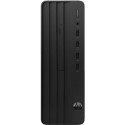
Refurbished HP Omen 25L AMD Ryzen 7 5700G 16GB 1TB & 256GB RTX 3070 8GB Windows 11 Gaming Desktop - Original Casing Replaced

SKU: 78368424/1/A1/55C83EA Quickfind Code: 1796728
SAVE 26%

GRADE A2

**Please be aware that this is an HP Omen Desktop whose original casing has been replaced due to previous damage however the unit is in Grade A2 condition.

Octa-core Ryzen 7 processor

Blast through latest games with the HP OMEN 25L Gaming PC. Equipped with a 5000 series AMD Ryzen 7 processor, you have eight cores of power for some serious multitasking. Run big games and demanding software without having to slow down.

GeForce RTX 3070

Race through the next generation of games with the GeForce RTX 3070, powered by Ampere, NVIDIA's 2nd gen RTX architecture. Featuring AI performance and enhanced ray tracing as well as a massive 8 GB of memory, it's designed to deliver the ultimate gaming performance.

And because the RTX 3070 is built for streaming, you'll have stutter-free live gaming with improved audio and visuals.


Some devices may come with Windows 11 pre installed, but some may need manually updating to the latest version of Windows from Windows 10, 10S or 11S. It's easy and free to do in just 3 easy steps. Find out how by clicking here »

How To Easily Update Your Windows Laptop

Some devices may come with Windows 11 pre installed, but some may need manually updating to the latest version of Windows from Windows 10, 10S or 11S. It's easy and free to do in just 3 easy steps.

Windows 11 the most productive and secure version of windows yet with easy Navigation, easy organisation and faster performance. Windows 11 has all the power and security of past Windows verisions but with a redesigned and refrshed look. With new tools, sounds and apps that all come together to bring a new refreshing Windows experience.

1. Settings > On your device Select the start button, then click on settings.

2. Updates & Security > Click on Updates & Security.

3. Windows Update > Select check for updates. If updates are available, click instal to get the latest version of Windows.


You may also like

Recently viewed


Back to top