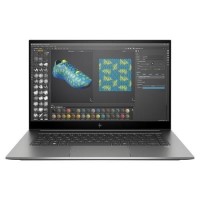





Very good condition - may display light cosmetic marks.


Save money
Enjoy significant savings without compromising on quality.

Reduce waste
Reduce electronic waste and lower your carbon footprint.

Extensively tested
Every refurbished device is rigorously tested and repaired by certified technicians.
BSI Kitemark Certified
This device meets the BSI Kitemark™ certification standards, guaranteeing its quality and safety.

Warranty included
This device is protected with a warranty covering both parts and labour.
Extreme Performance with Intel® Core™ i9 10th Gen Processor
Engineered for power users and creative professionals, the HP ZBook Studio G7 is driven by a 10th Gen Intel® Core™ i9 processor. Whether you're rendering 3D models, editing 8K video, or running complex simulations, the i9 delivers seamless multitasking and accelerated workflows. With its multi-core architecture and high clock speeds, this machine ensures your demanding applications perform at their peak without compromise.
Ample Memory for Intensive Workloads
Multitasking is effortless with a massive 32GB of high-speed RAM. This allows users to run multiple heavy applications simultaneously—ideal for professionals working in software development, video production, data analysis, or design. The generous memory ensures smoother project handling, reduced load times, and greater efficiency during high-performance tasks.
Lightning-Fast Storage with 1TB SSD
The ZBook Studio G7 features a 1TB solid-state drive (SSD) that provides rapid file access and ultra-quick boot times. Whether you're working with large media files or complex datasets, this SSD offers both speed and capacity. It's perfect for storing everything from raw video footage to 3D project files, while also reducing application launch times and increasing productivity.
Professional-Grade Graphics with NVIDIA® Quadro T2000
Equipped with an NVIDIA® Quadro T2000 GPU, this laptop delivers the professional graphics performance needed for CAD applications, video editing, 3D rendering, and machine learning. The Quadro series is designed for stability, certified with numerous industry-leading software platforms, and provides a smooth experience when handling graphically intensive tasks.
Designed for the Demands of Modern Professionals
With Windows 11 Pro pre-installed, the ZBook Studio G7 offers enhanced security, productivity, and collaboration tools. Its sleek, lightweight chassis is built for mobility without sacrificing performance, and the premium build quality reflects HP's commitment to durability and elegance. From boardrooms to editing studios, this machine is crafted for users who demand both style and substance.
What's In The Box?
- Laptop
- Power Adaptor
When setting up your new unit you will need to activate your Microsoft License Key. Follow the simple step by step guide to find out how to do so, it is really quick and easy to do!
How to activate your Microsoft License Key »