

















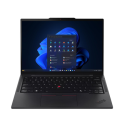



Excellent cosmetic condition - looks like new and saves you money.


Save money
Enjoy significant savings without compromising on quality.

Reduce waste
Reduce electronic waste and lower your carbon footprint.

Extensively tested
Every refurbished device is rigorously tested and repaired by certified technicians.
BSI Kitemark Certified
This device meets the BSI Kitemark™ certification standards, guaranteeing its quality and safety.

Warranty included
This device is protected with a warranty covering both parts and labour.
Performance and Processor
The Lenovo ThinkPad L14 is powered by a Ryzen 5 Pro 4650U processor, ensuring robust performance and efficient multitasking capabilities. This high-end processor is designed to handle demanding applications and heavy workloads with ease, making it suitable for professionals and power users who require reliable computing power.
Memory and Storage
Equipped with 16GB of RAM, the ThinkPad L14 offers ample memory to run multiple applications simultaneously without slowing down the system. This is complemented by a 256GB SSD, providing fast data access speeds and quick boot times. The solid-state drive also enhances overall system responsiveness, ensuring smooth operation even with intensive tasks.
Display and Graphics
The laptop features a 14-inch display, striking a balance between portability and screen real estate. This size is ideal for professionals who need a clear and sharp display for their work without compromising on mobility. The display quality ensures vibrant colors and crisp details, suitable for various tasks from document editing to multimedia consumption.
Operating System and Software
Running on Windows 11 Professional, the ThinkPad L14 benefits from the latest features and enhancements of Microsoft’s newest operating system. Windows 11 offers a modern and user-friendly interface, improved performance, and enhanced security features. The professional edition also includes additional tools and functionalities tailored for business users, providing a seamless and efficient work environment.
Build Quality and Design
The Lenovo ThinkPad L14 maintains the renowned build quality and durability that the ThinkPad series is known for. It features a robust and sturdy design, with a keyboard that is comfortable to use for extended periods. The laptop’s design is both functional and professional, making it a reliable choice for work in various environments. Its sleek and compact form factor enhances portability, making it convenient to carry for professionals on the go.
What's in the Box?
- Laptop
- Power adaptor
When setting up your new unit you will need to activate your Microsoft License Key. Follow the simple step by step guide to find out how to do so, it is really quick and easy to do!
How to activate your Microsoft License Key »



