

















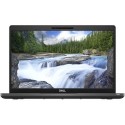



Excellent cosmetic condition - looks like new and saves you money.


Save money
Enjoy significant savings without compromising on quality.

Reduce waste
Reduce electronic waste and lower your carbon footprint.

Extensively tested
Every refurbished device is rigorously tested and repaired by certified technicians.
BSI Kitemark Certified
This device meets the BSI Kitemark™ certification standards, guaranteeing its quality and safety.

Warranty included
This device is protected with a warranty covering both parts and labour.
The Lenovo ThinkPad T14 Gen 2 is built for professionals who demand speed, stability, and business-grade features. Equipped with an 11th Generation Intel® Core™ i5 processor, this laptop ensures smooth multitasking, fast app load times, and energy-efficient performance. Whether you're working on reports, video conferencing, or managing cloud applications, the T14 G2 delivers the power you need to stay ahead.
Responsive and Efficient Multitasking with 8GB RAM
With 8GB of DDR4 memory, the ThinkPad T14 Gen 2 provides ample bandwidth to run multiple applications simultaneously without slowdowns. It ensures a responsive computing experience whether you're toggling between large spreadsheets, conducting research, or joining virtual meetings. The memory is upgradeable for users looking to future-proof their investment.
Fast Storage with Secure 256GB SSD
Enjoy quicker boot times, fast file access, and improved overall responsiveness with a 256GB NVMe SSD. Not only does solid-state storage reduce power consumption and increase durability compared to traditional hard drives, but it also enhances system security by supporting features like hardware-based encryption and secure boot processes.
Brilliant 14-Inch Full HD Display for Work and Multimedia
The 14-inch Full HD (1920 x 1080) anti-glare display delivers crisp visuals and vibrant color, perfect for extended work sessions or streaming during downtime. With narrow bezels and a matte finish, this screen reduces distractions and minimizes reflections, creating a focused and comfortable viewing environment in both office and outdoor settings.
Business-Grade Security You Can Trust
Your data is protected with Lenovo’s suite of enterprise security features, including TPM 2.0 (Trusted Platform Module), Match-on-Chip Fingerprint Reader, and ThinkShutter privacy cover for the webcam. Additionally, with optional Intel vPro® support, IT teams can manage and secure devices remotely, reducing vulnerabilities in a hybrid work environment.
Durability Meets Portability
Designed for life on the go, the T14 Gen 2 weighs around 1.5kg and is tested against 12 military-grade standards for ruggedness, including resistance to spills, shocks, and extreme temperatures. It’s built to handle business travel, remote work setups, and frequent commuting without compromising on performance or build quality.
Full Connectivity Suite for Modern Professionals
Stay productive anywhere with a wide selection of ports, including USB Type-C, Thunderbolt 4, USB 3.2, HDMI, and RJ-45 Ethernet. The T14 G2 also supports Wi-Fi 6 for faster wireless connectivity and Bluetooth 5.2, allowing seamless pairing with peripherals and accessories. Its versatile docking support enables quick setup at home or in the office.
What's in the Box?
- Laptop
- Power adaptor
When setting up your new unit you will need to activate your Microsoft License Key. Follow the simple step by step guide to find out how to do so, it is really quick and easy to do!
How to activate your Microsoft License Key »



